
BOOKMINGLE GROUPS · SHARE MORE, BUY LESS
Your books are better together.
Create a private or public reading group where friends, colleagues, neighbours and book-club members can combine their shelves, discover what everyone owns and borrow from each other.
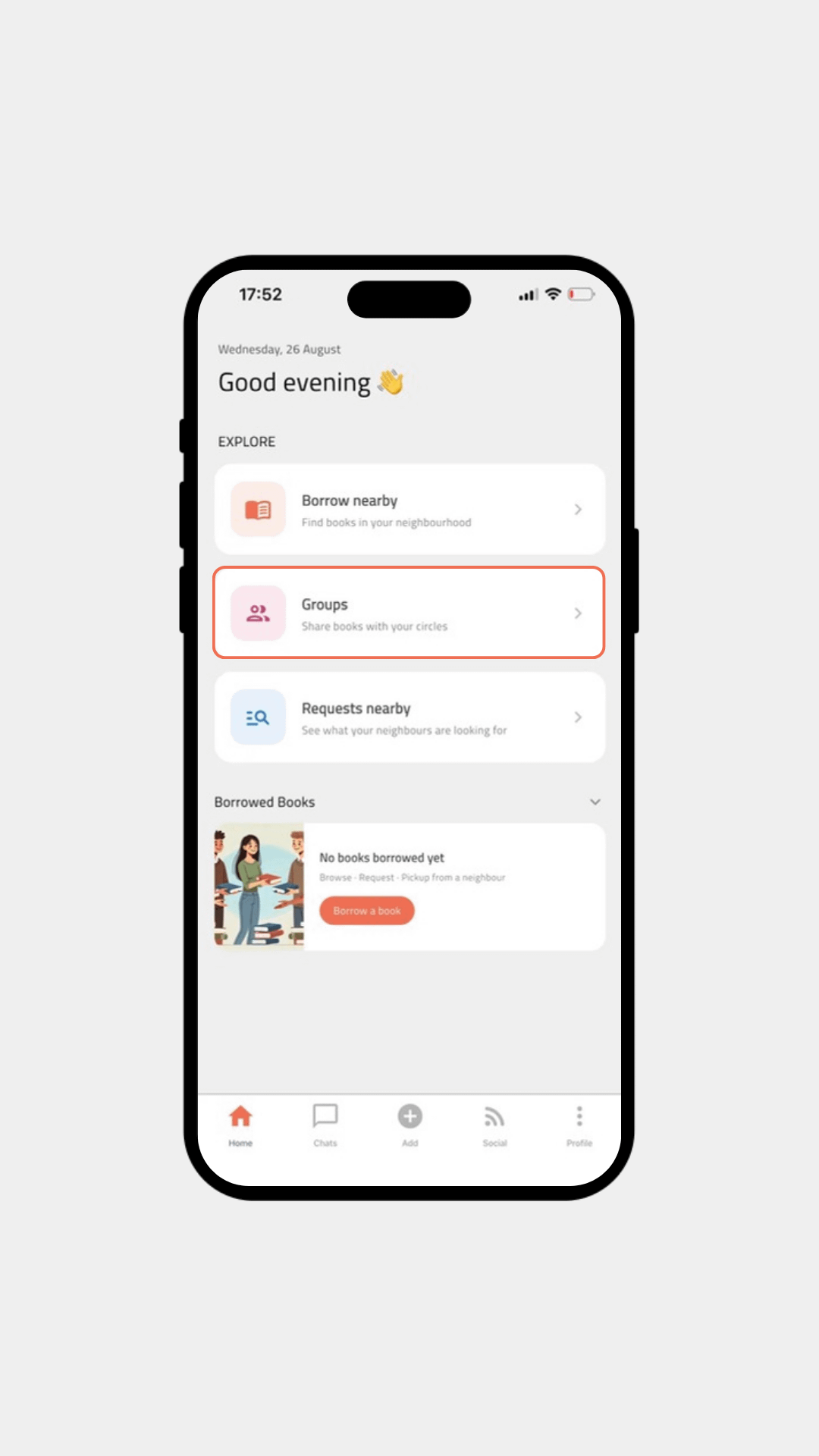
HOW GROUPS WORK
From creating a circle to sharing books in minutes
BookMingle keeps the whole journey simple: create a group, invite people, combine your shelves and keep the conversation going beside the books.
Shared library
Browse the books everyone in your group already owns.
Group chat
Talk books and coordinate borrowing without switching apps.
Private or public
Keep it invite-only or let nearby readers discover your group.
Local by design
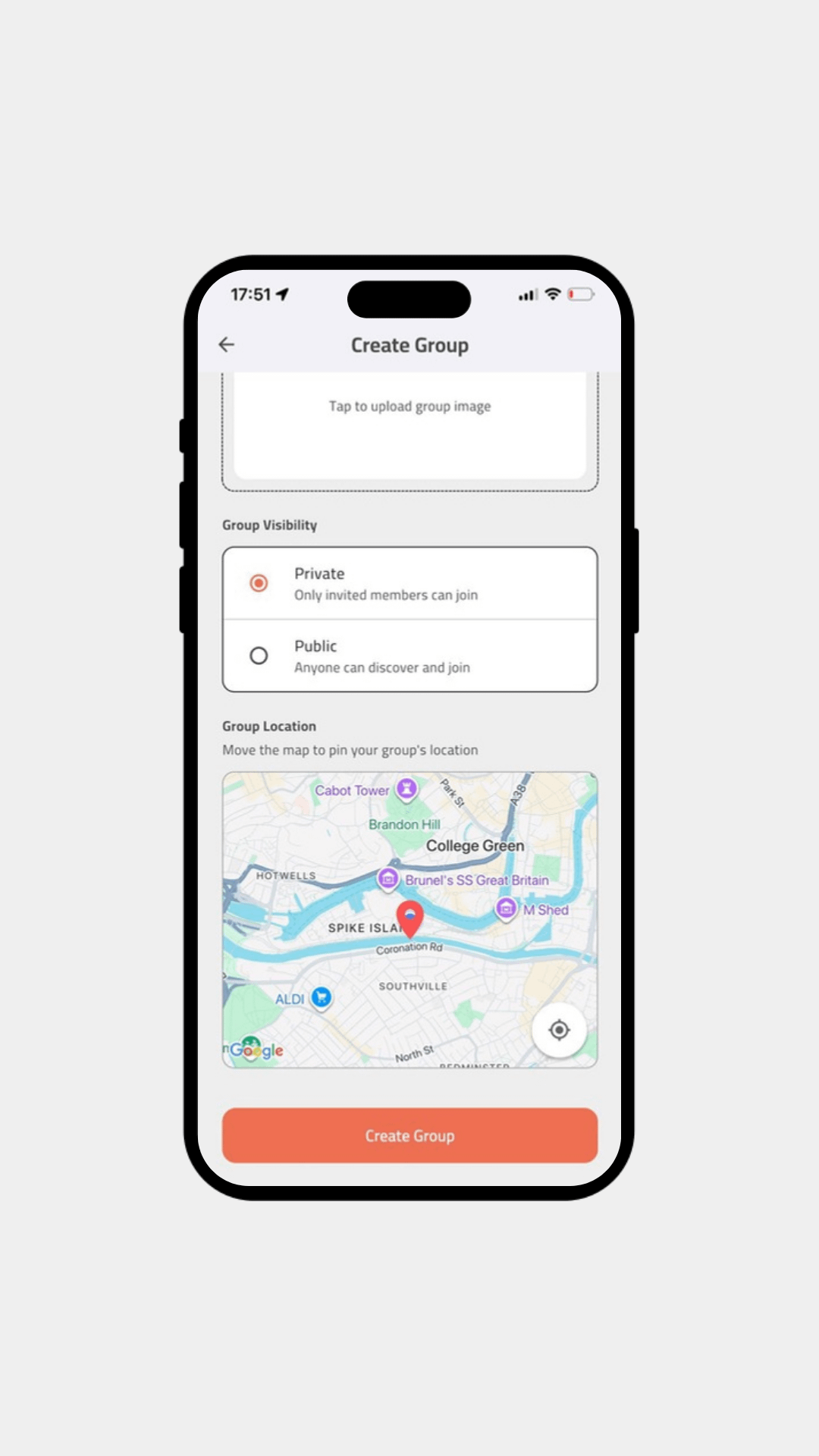
Pin your group to a location so members know where it is based.
CREATE YOUR GROUP
Give your reading circle a home
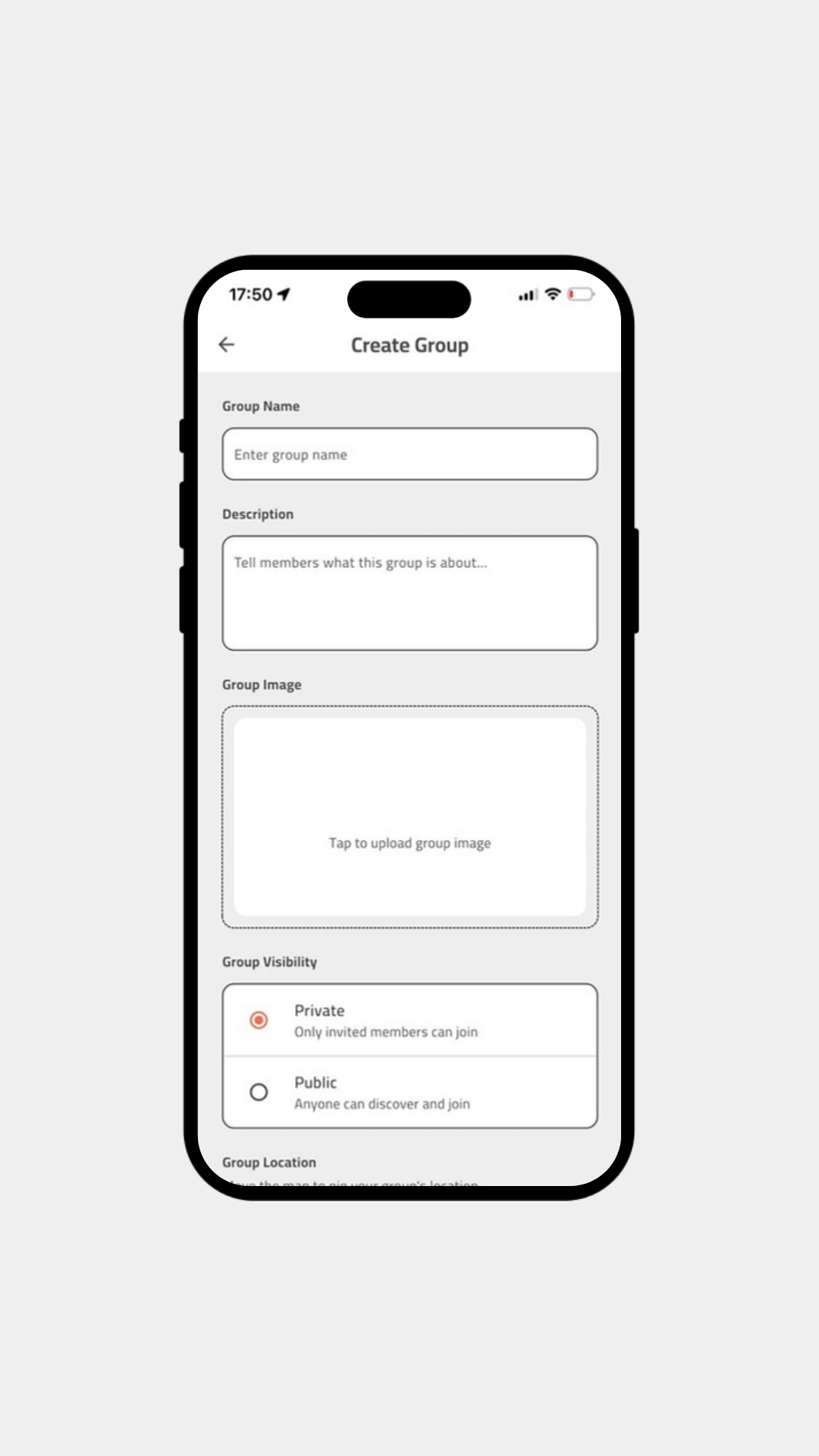
Start by naming your group, adding a short description and choosing whether it should be private or public.
- Private: only invited members can join.
- Public: nearby readers can discover and join.
- Add a group image so your circle is easy to recognise.
INVITE YOUR PEOPLE
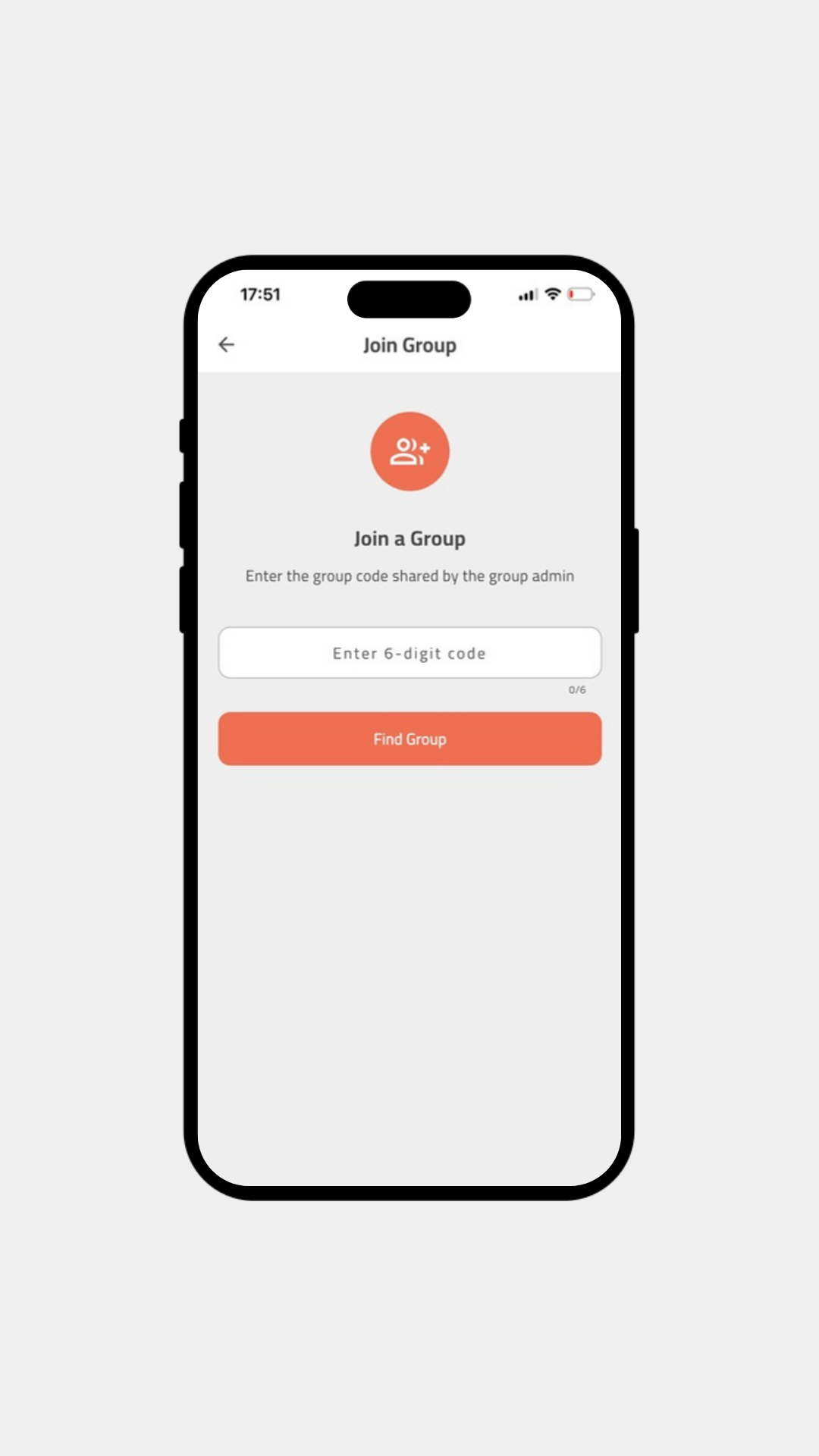
Join with a simple six-digit code
No complicated setup. Share the group code with friends, colleagues or book-club members and they can find the group straight away.
Perfect for: workplace clubs, neighbourhood groups, university societies, families and private circles of friends.
BUILD A SHARED LIBRARY
See what your group can read before buying another copy
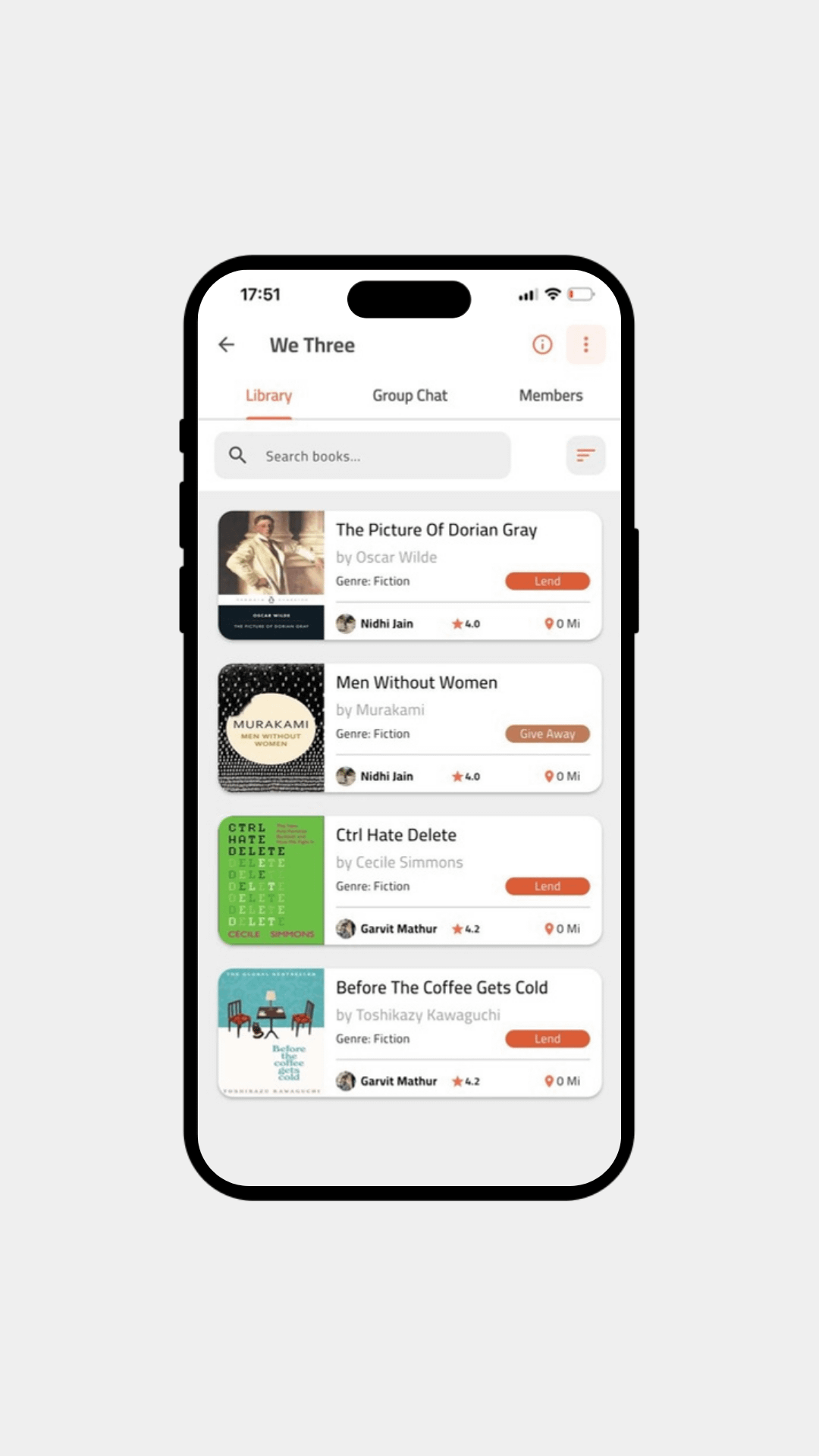
Once members add their books, the group library becomes a shared shelf. Search titles, see who owns each book and whether it is available to lend or give away.
This turns a book club into something useful between meetings too: a living library made from the books your community already has.
04 · KEEP THE CONVERSATION TOGETHER
Chat beside the books you are sharing
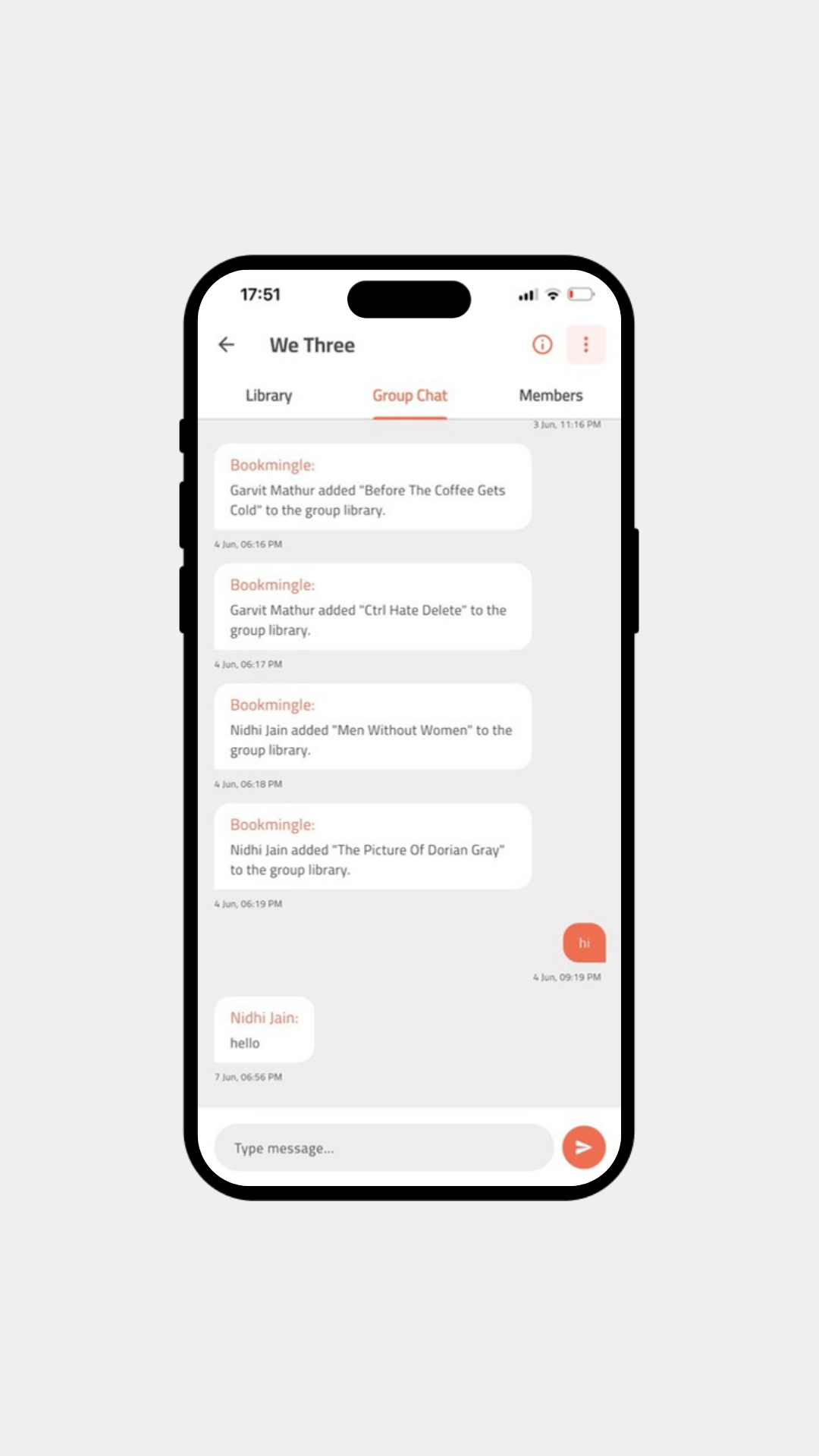
Use Group Chat for recommendations, reading updates and pickup coordination. BookMingle also posts activity updates when members add books to the shared library, so everyone can see the collection grow.
No separate spreadsheet for the library and no separate chat thread for borrowing.
BUILT FOR REAL READING COMMUNITIES
Use Groups your way
Start your reading circle today
Open BookMingle, choose Groups, create your circle or enter a six-digit invitation code. Your shared library can start with the books already sitting on your shelves.